Where Mullion has been announced or listed: awesome lists, directories and forum posts, each with the text exactly as it was posted.
/
No post matches.
States as of 2026-10-21. Images in the posted text are served from this site, in the theme you are viewing.
Mullion
A fork of Windows Terminal with hover previews for links and files, tabs on any edge, and sessions that come back after a restart.
FreeOpen source · MITWindowsby Aylith
Alternative toWindows TerminalTabbyConEmuWezTerm
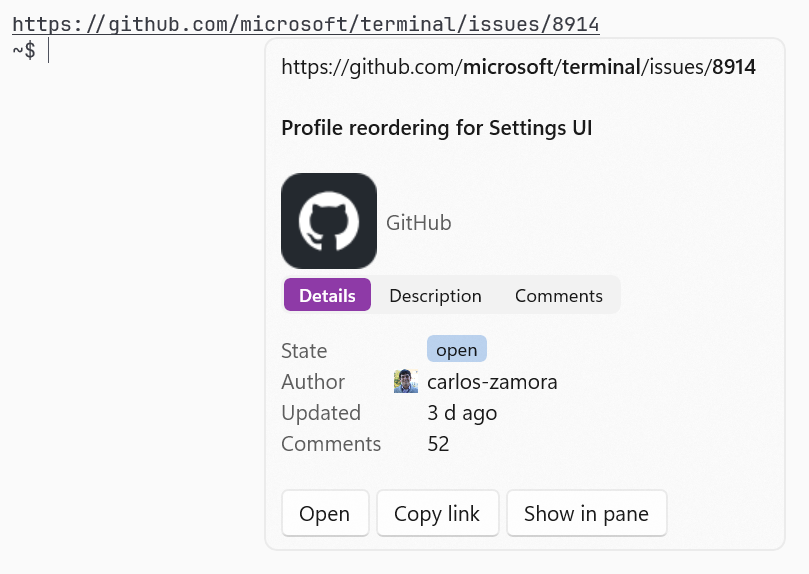
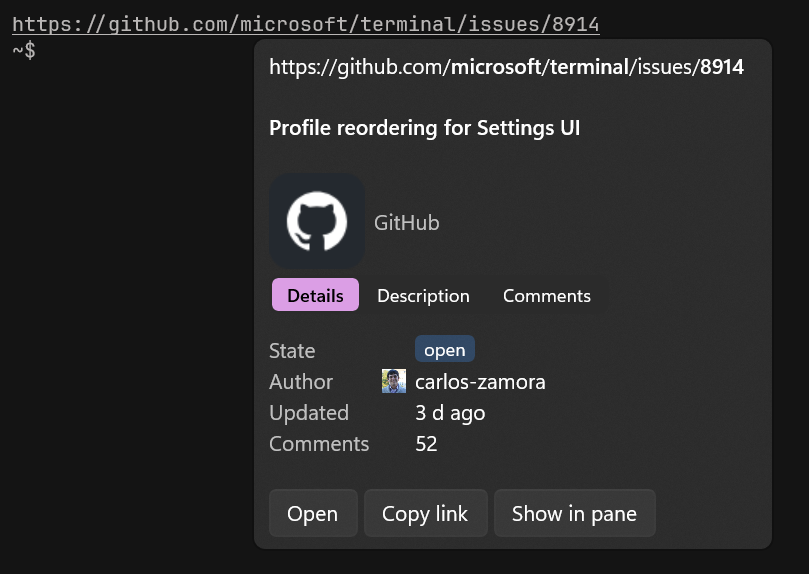
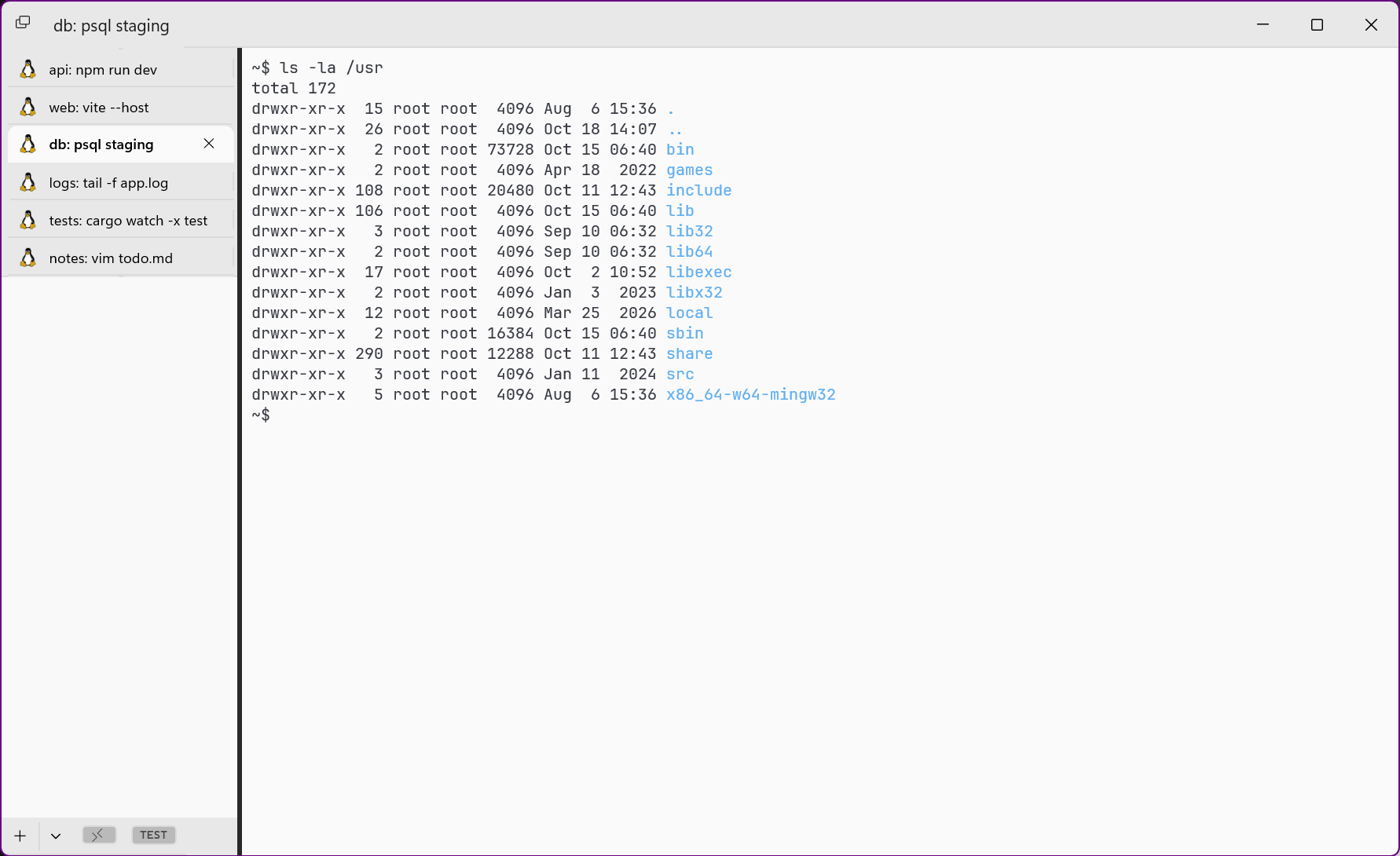
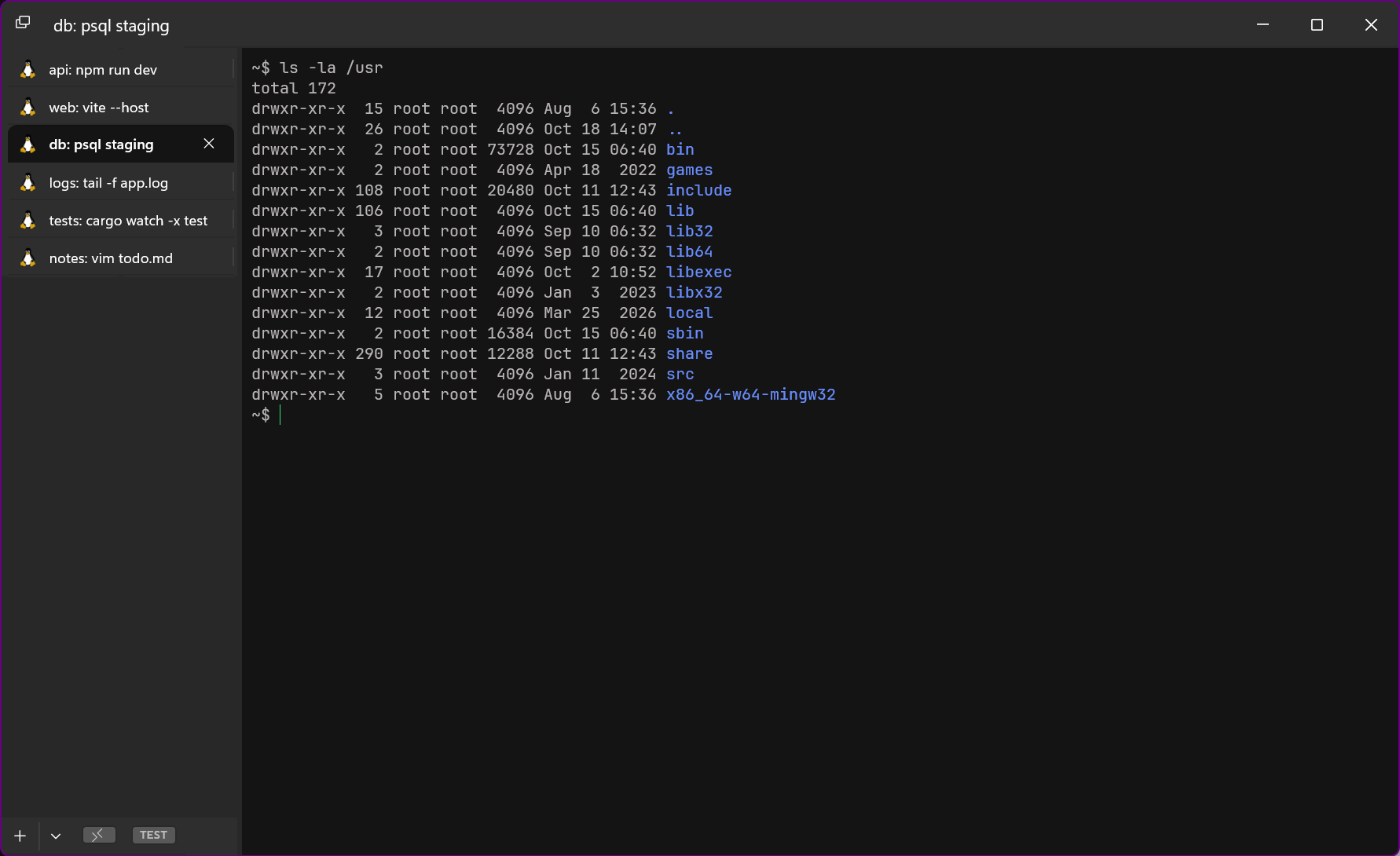
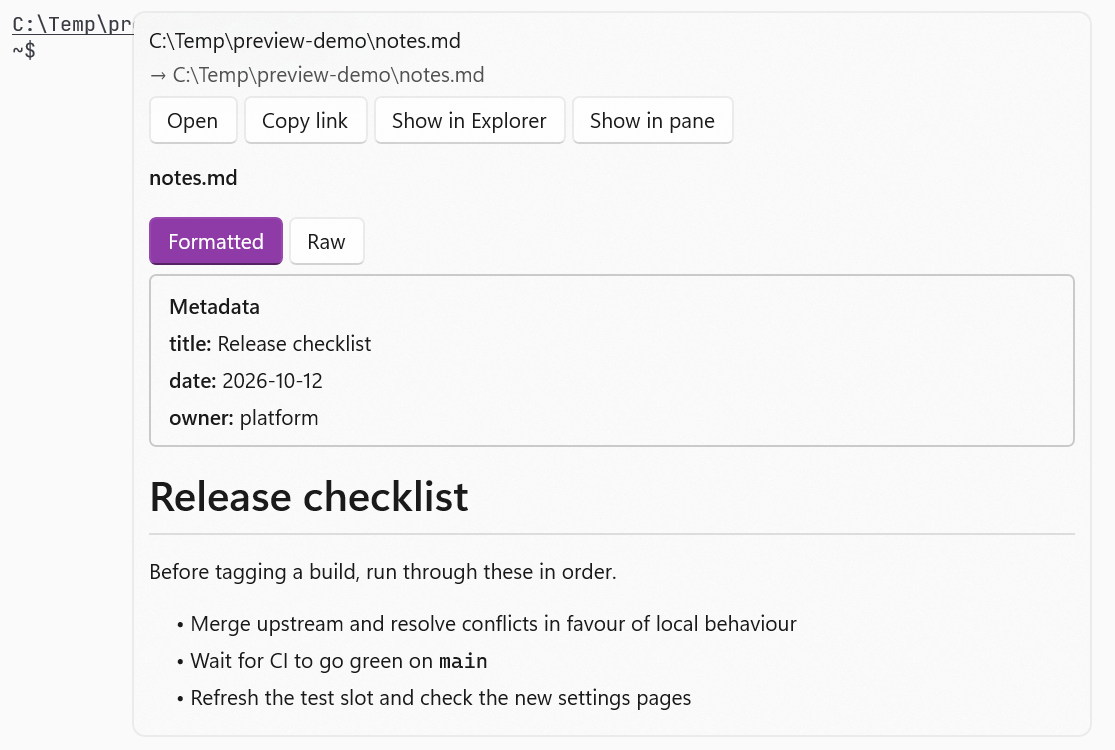
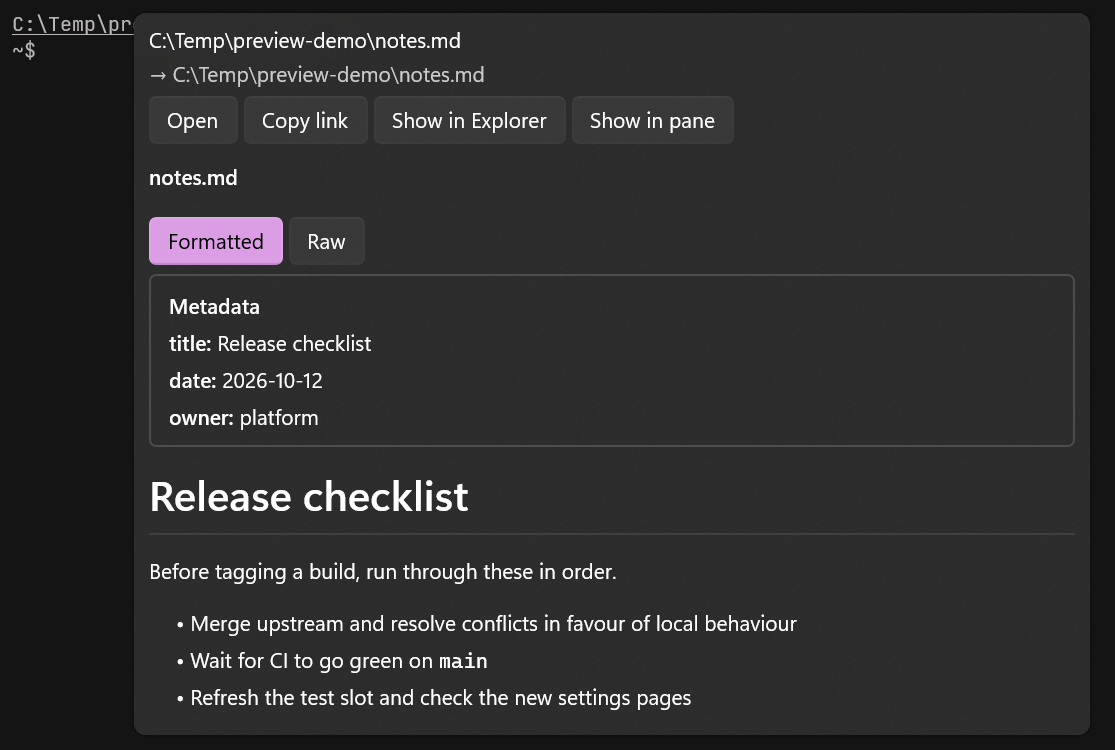
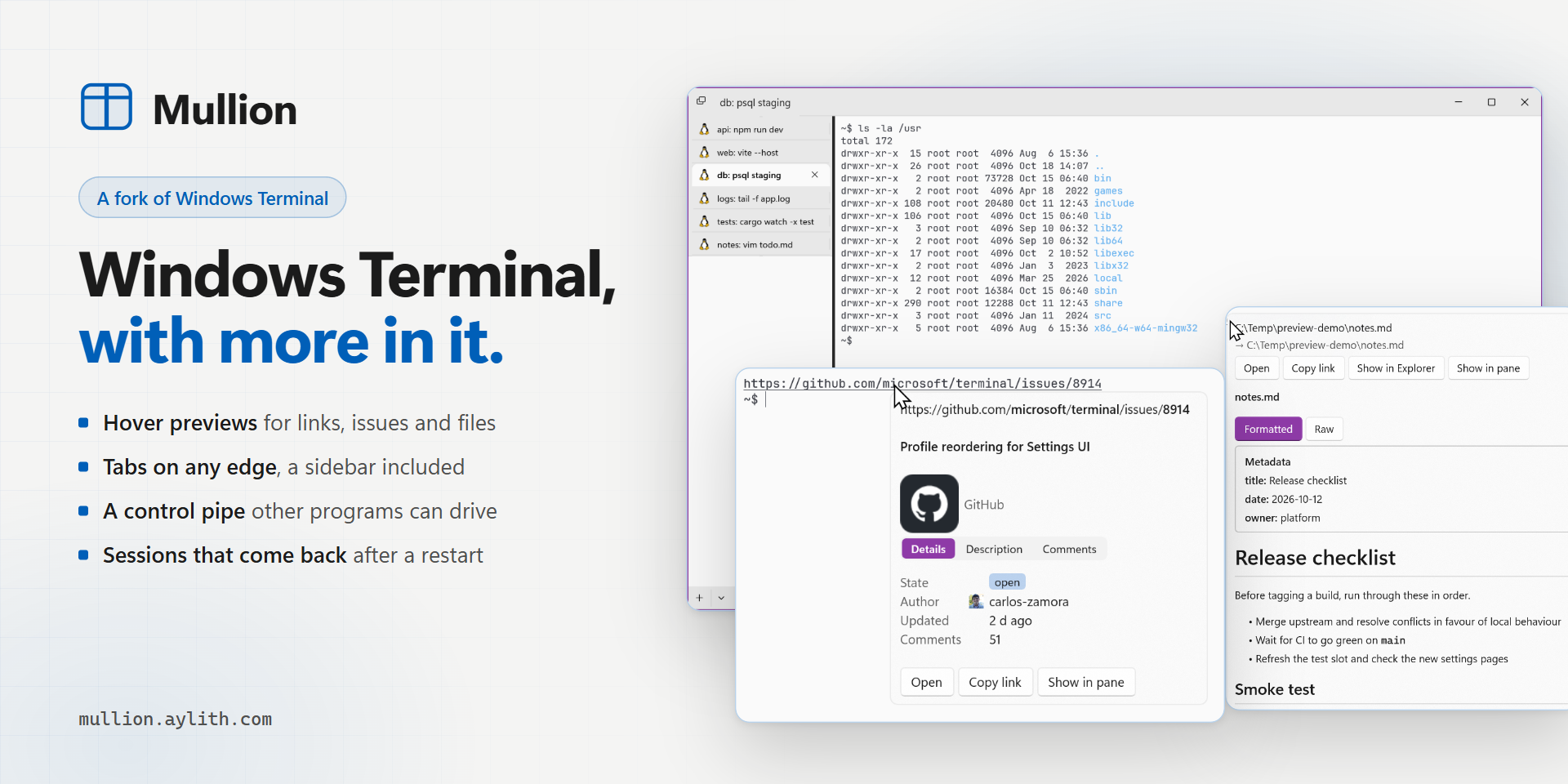
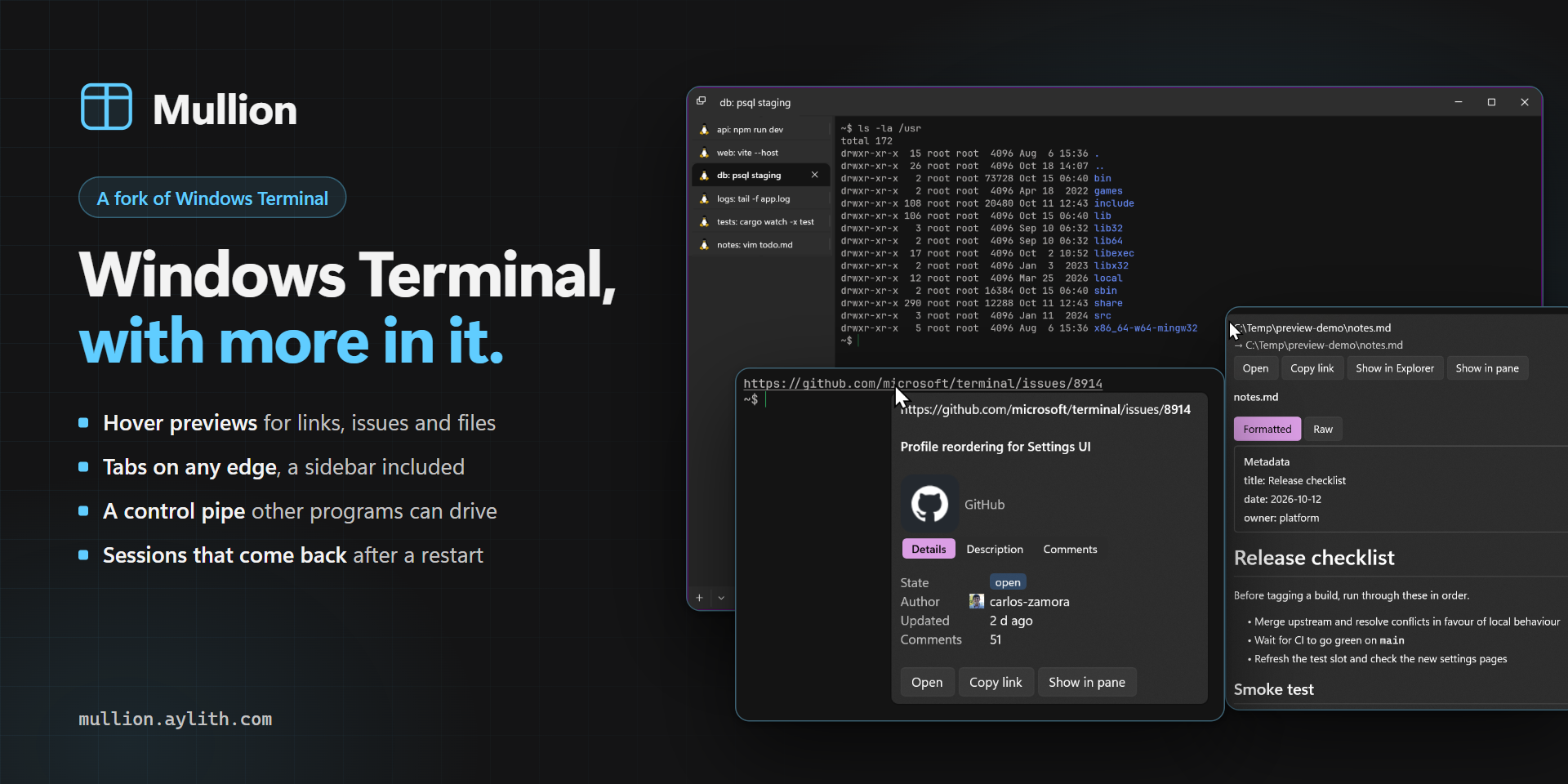
Hovering a GitHub issue link shows its details in a cardTabs in a vertical sidebar on the leftHovering a Markdown file path previews it rendered
No registration required
Portable
Support for themes
Command line interface
Ad-free
Dark mode
Works offline
Mullion is my fork of Windows Terminal, free and MIT-licensed, with the features I wanted in my own terminal:
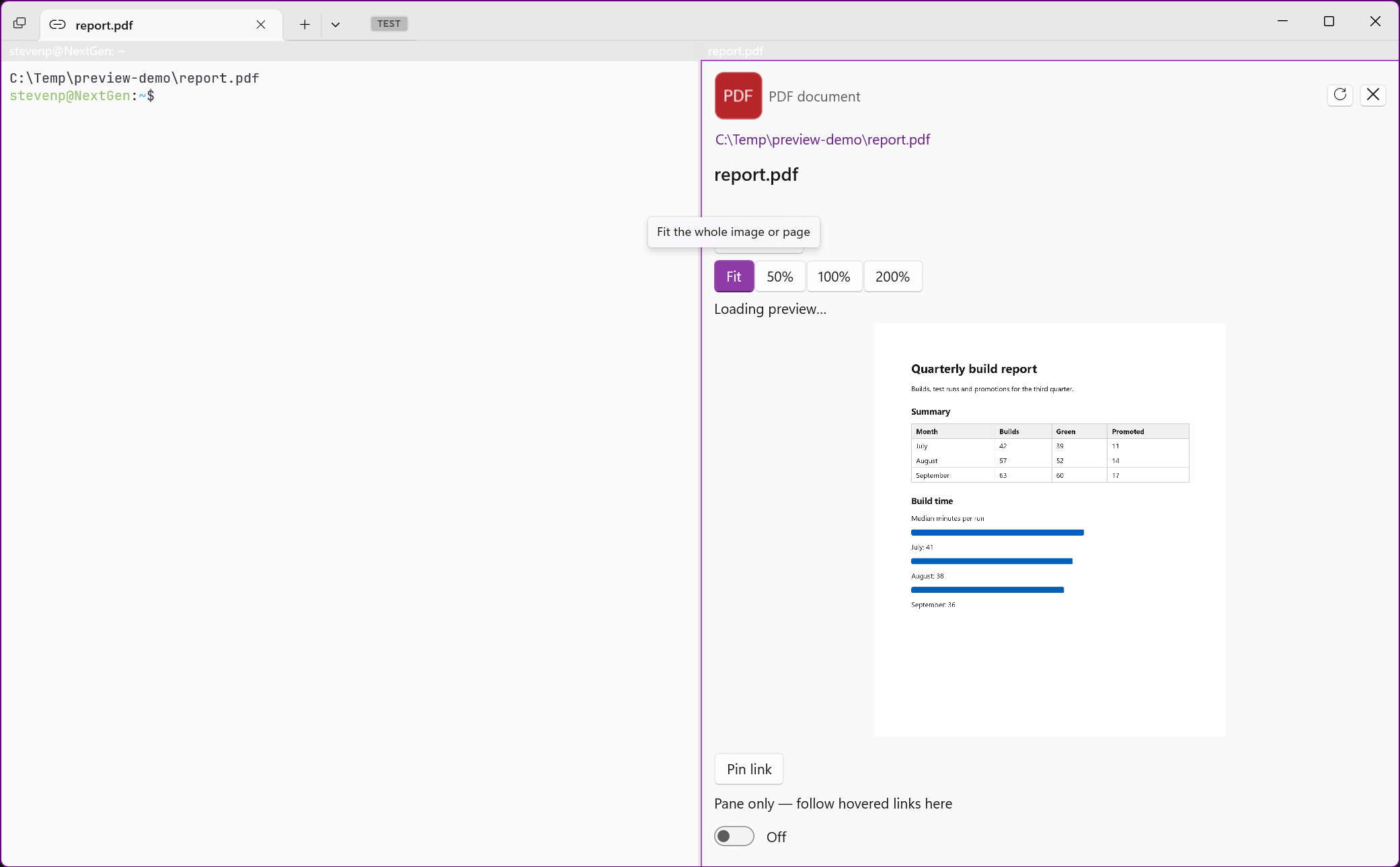
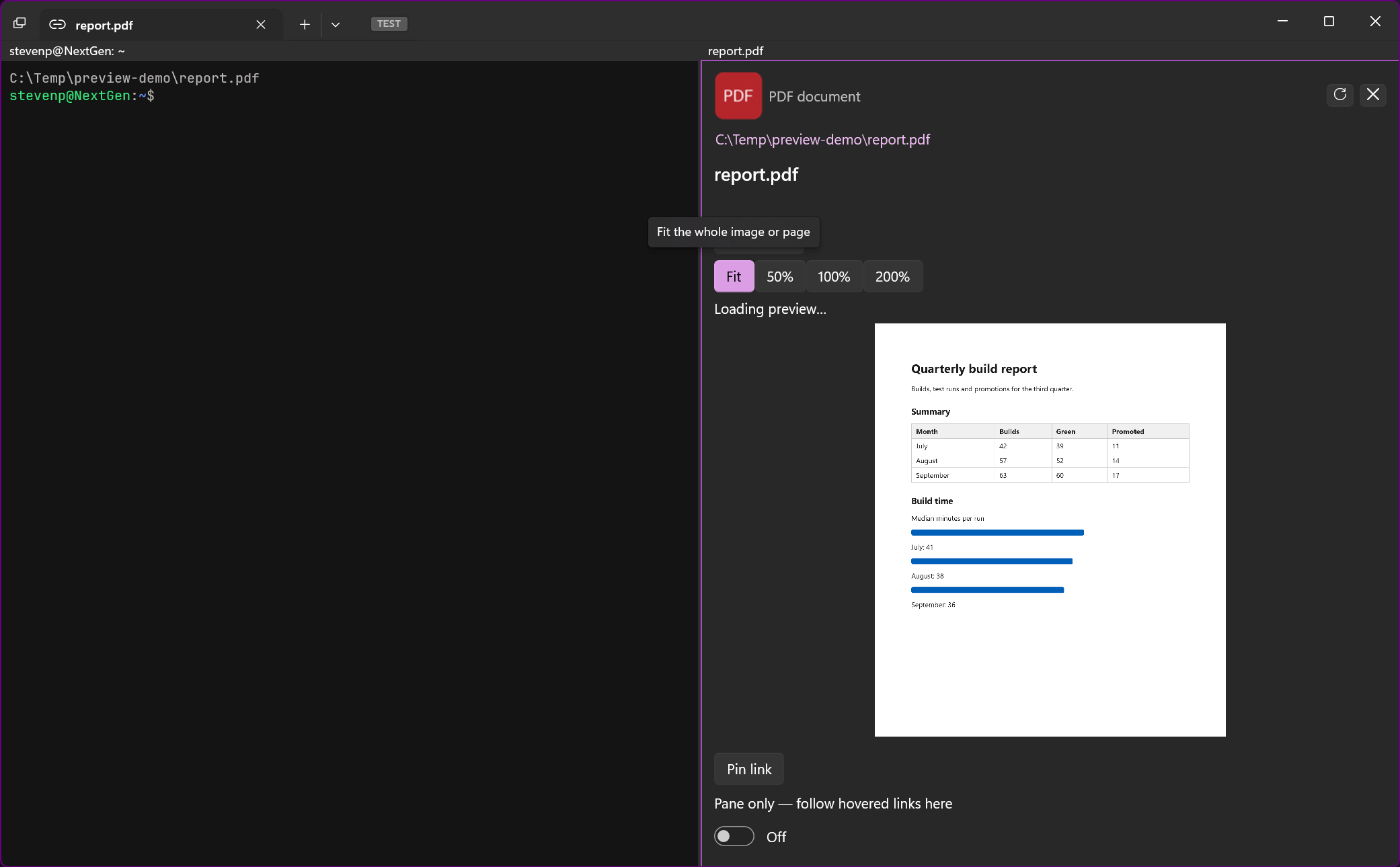
Hover previews: GitHub issues and pull requests, Jira keys, Slack links and local files (rendered Markdown, highlighted source, images, PDFs) open in a card without leaving the terminal.
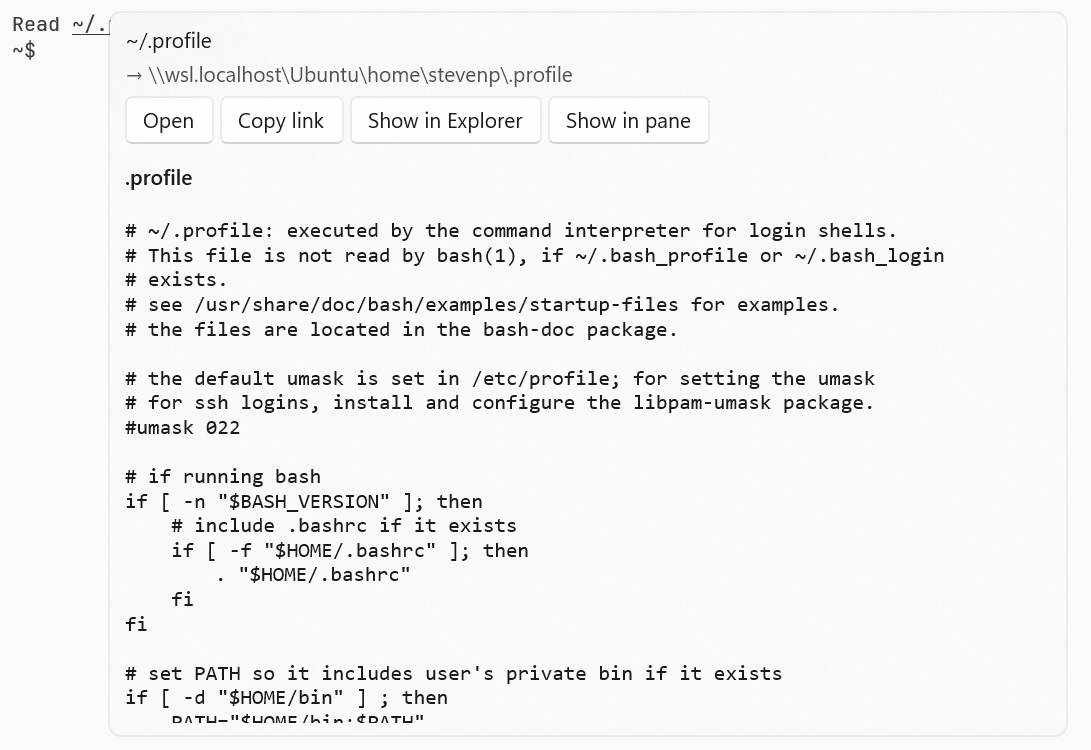
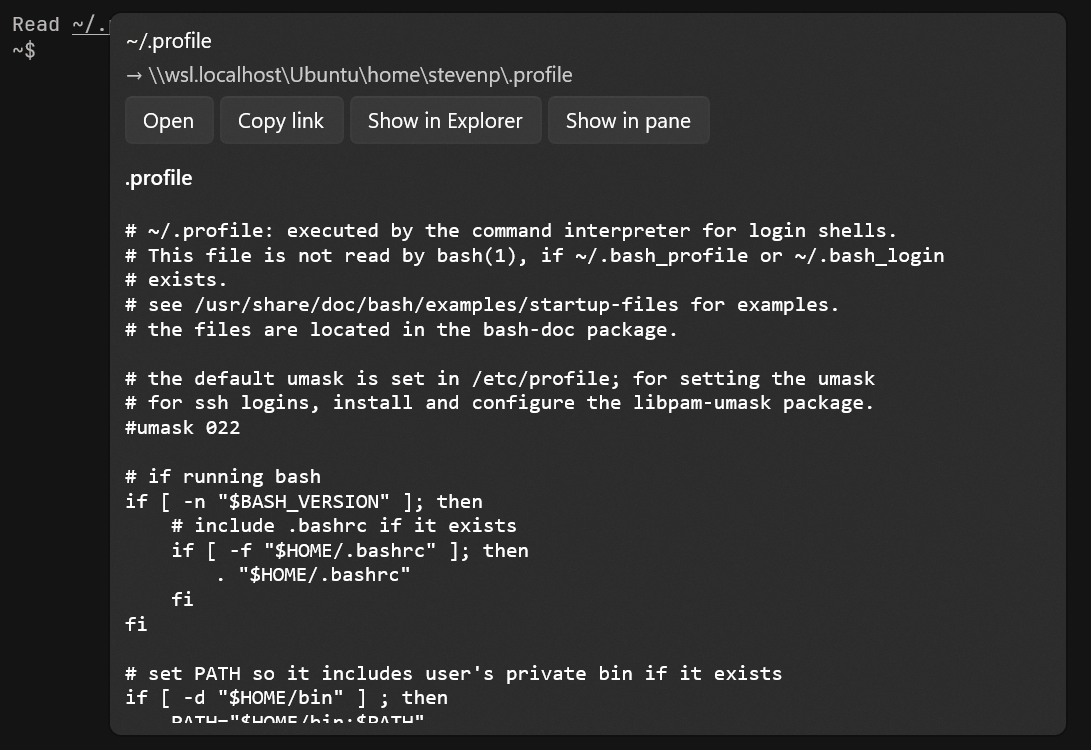
Paths are links: Windows, UNC, WSL and ~/ paths open in the right WSL distribution.
Tabs on any edge: top, bottom, or a resizable sidebar on the left or right.
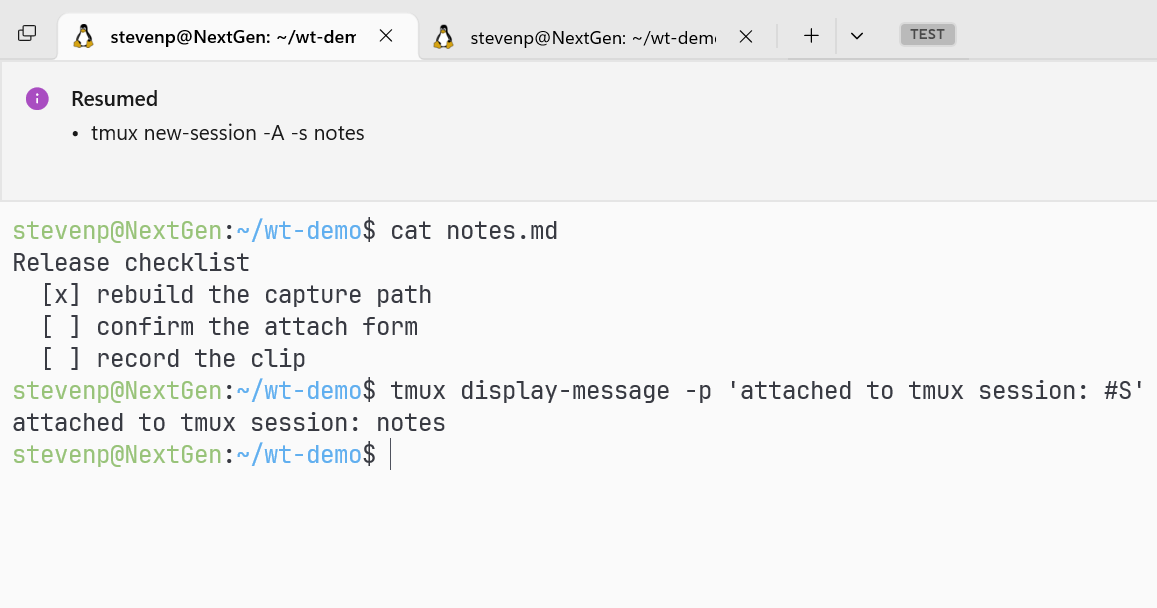
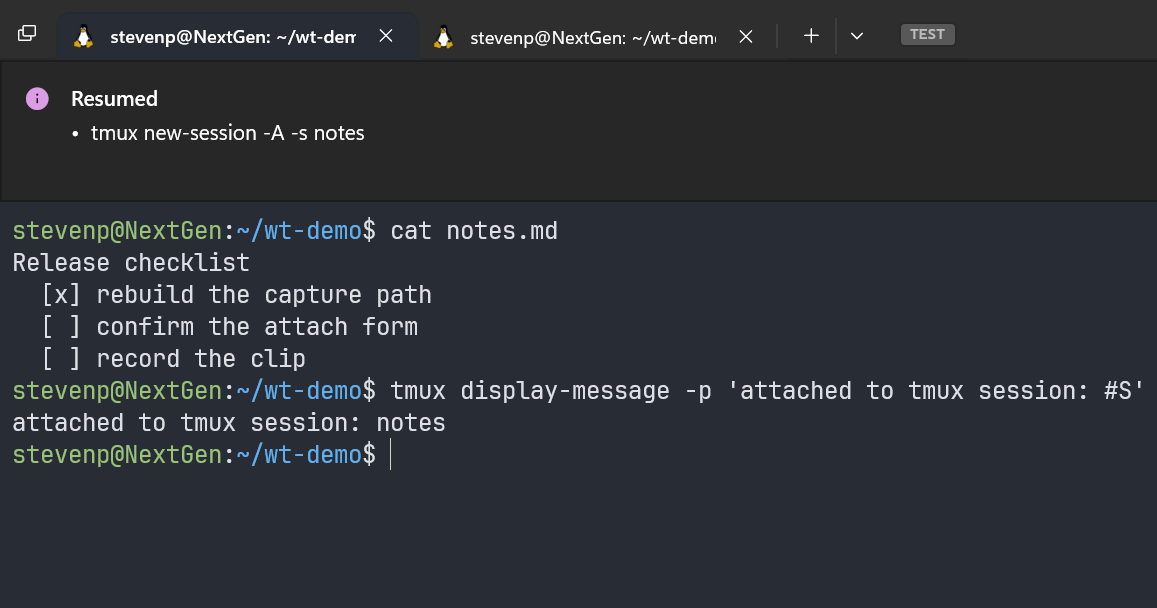
Sessions come back: after a restart a pane reattaches the tmux or zellij session it was running.
A Settings UI with a filter, drag-to-reorder profiles, and a Save button that lists what will change.
It runs from a portable ZIP: no installer, no Developer Mode. The website shows every feature beside upstream Windows Terminal, in light and dark.
Note to reviewersI'm the developer. Mullion is an independent, open-source fork of Windows Terminal, so it fits best as an alternative to Windows Terminal. The description lists what it adds.
Adds Mullion to Terminal, between MTPuTTY and Putty.
Mullion is my fork of Windows Terminal (MIT, free), under active development. What it adds:
Hover previews: a GitHub issue or PR, a Jira key, a Slack permalink or a local file (Markdown rendered, highlighted source, images, PDFs) previews in a card, without leaving the terminal.
Tabs on any edge: top, bottom, or a vertical sidebar on the left or right.
Sessions come back: reopening the terminal reattaches the tmux or zellij session a pane was running, instead of opening a fresh shell.
WSL paths are links, resolved in the right distribution.
Hovering a GitHub issue link
Tabs in a sidebar on the left
The primary link is the website and the OSS icon links to the source, as the contributing guide asks. A portable ZIP (no MSIX, no Developer Mode) is on the releases page: https://github.com/aylith-labs/mullion/releases/latest
Mullion is an independent fork, not affiliated with or endorsed by Microsoft.
Adds Mullion to Terminals, at the end of the list.
Mullion is my fork of Windows Terminal (MIT), under active development. The WSL parts are why I think it fits here:
WSL paths are links./home/..., ~/..., /mnt/<drive>/... and WSL file:// links (fragments included) printed in a WSL pane resolve to the right distribution's \\wsl.localhost\<distro>\... path. ~/ means the home of whoever printed it, and a path that exists in two distributions is shown as ambiguous rather than guessed.
Hover previews of those files: rendered Markdown, highlighted source, images, PDFs, read without leaving the terminal.
Sessions come back. Reopening the terminal reattaches the tmux or zellij session a pane was running, instead of opening a fresh shell.
On trademarks: the entry names Windows Terminal, and the list's notices already cover Windows® as a trademark of Microsoft Corporation. Mullion is an independent fork, not affiliated with or endorsed by Microsoft.
Adds Mullion to the Windows list, after Mosh.
Mullion is my fork of Windows Terminal (MIT). The features that set it apart:
Hover previews for links: a GitHub PR or issue, a Jira key or a Slack permalink shows its title, status, checks and comments in a card, without leaving the terminal.
Paths are links: Windows, UNC, WSL and ~/ paths in the output are clickable and preview the file on hover (rendered Markdown, highlighted code, images, PDFs), resolved in the right WSL distribution.
Tabs on any edge: top, bottom, or a vertical sidebar on the left or right that you widen by dragging.
A local control pipe: other programs can list panes, read what a pane printed, or type into it.
Session resume: reopening the terminal brings back the programs the panes were running, not just the shells.
A reworked Settings UI: drag profiles into order (Ctrl+Shift+1-9 follow it), search that stays usable, and a Save button that lists what it would change.